One accountable owner
Every task is saved with one owner and a target date, so it is always clear who is answerable.
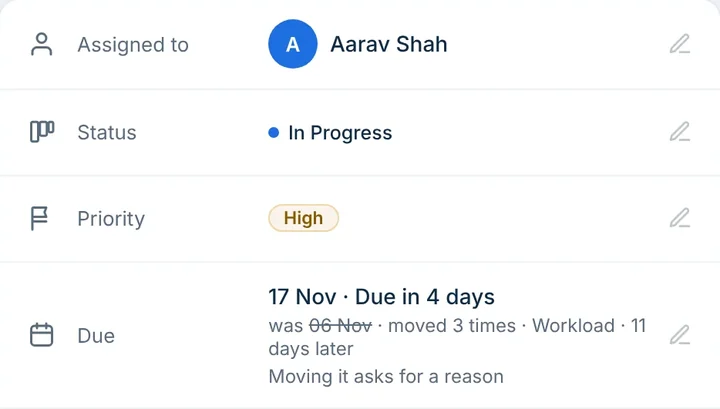
One owner for every task. One deadline. A recorded reason whenever it changes. The visibility to know where you need to step in.
Free for up to 6 members · No credit card required · Works in your phone browser
Key benefits
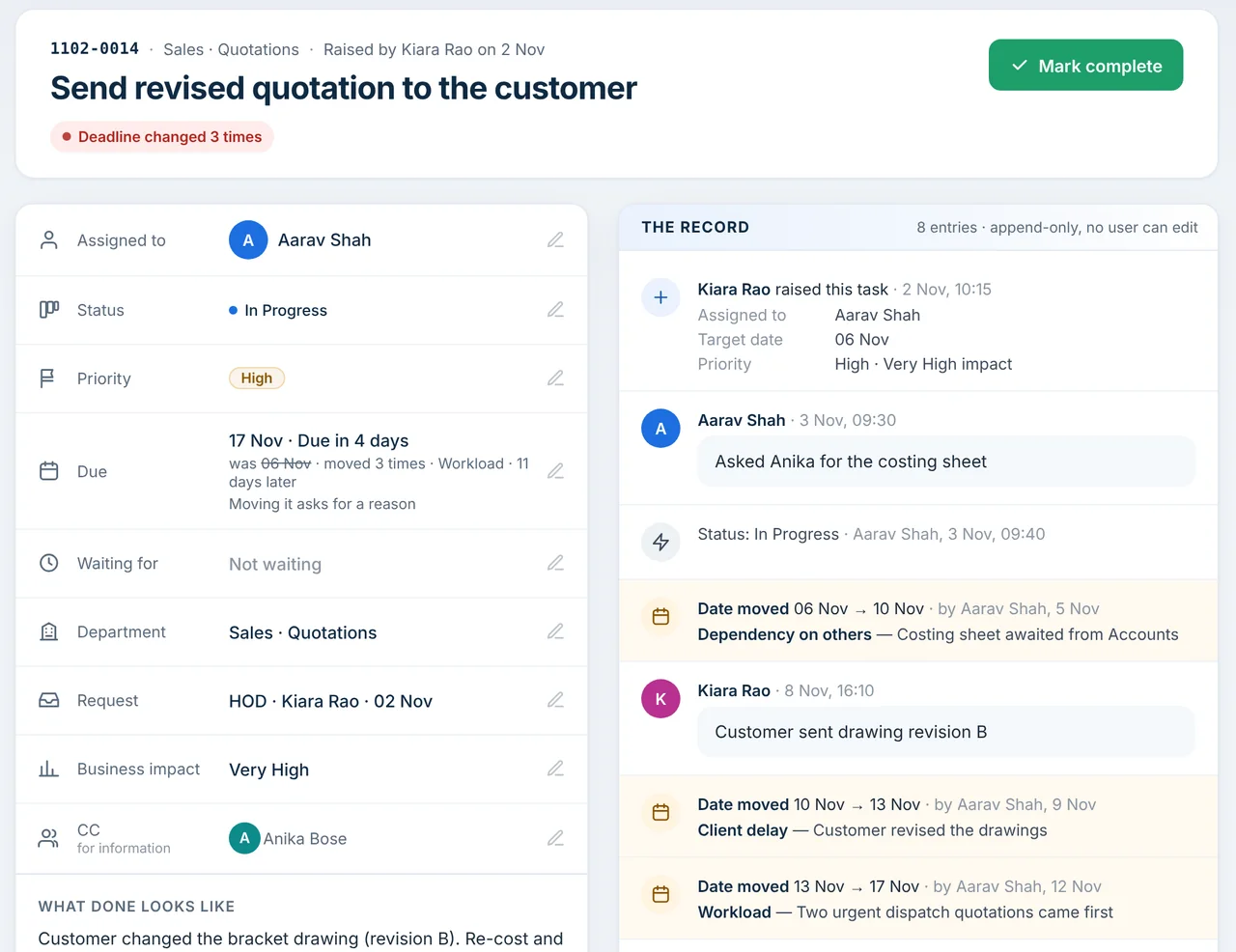
Every task is saved with one owner and a target date, so it is always clear who is answerable.
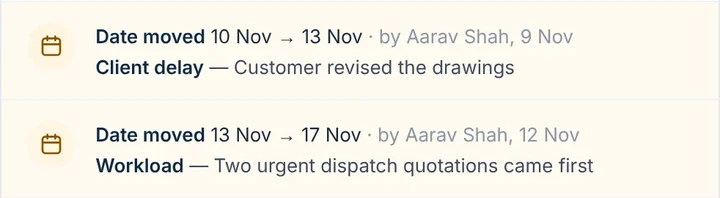
A date moves only with a reason, and the person who raised the task is told.
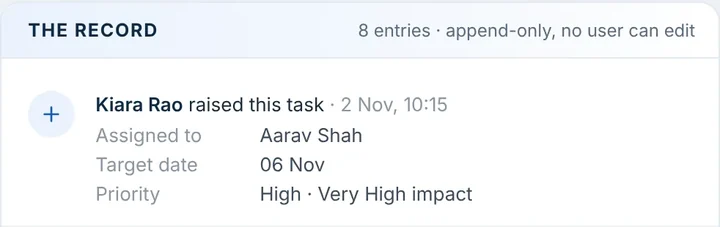
Updates and date changes are added to the task’s record, which no user can edit.
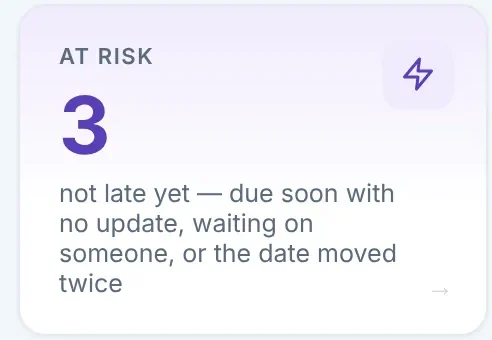
At-risk work shows before it is late, with who should step in: owner, HOD or MD.
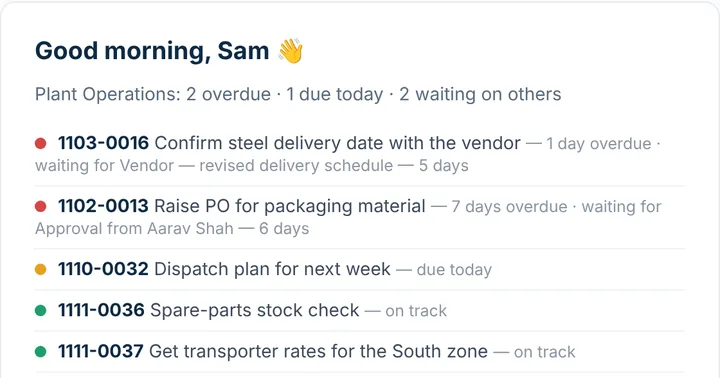
Mails go out when a task is given, before it is due, every morning and every Monday.
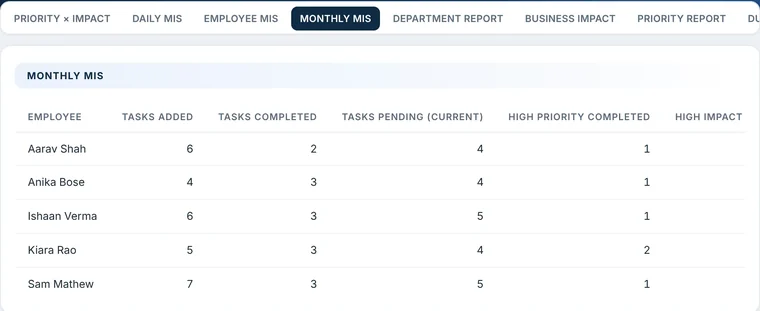
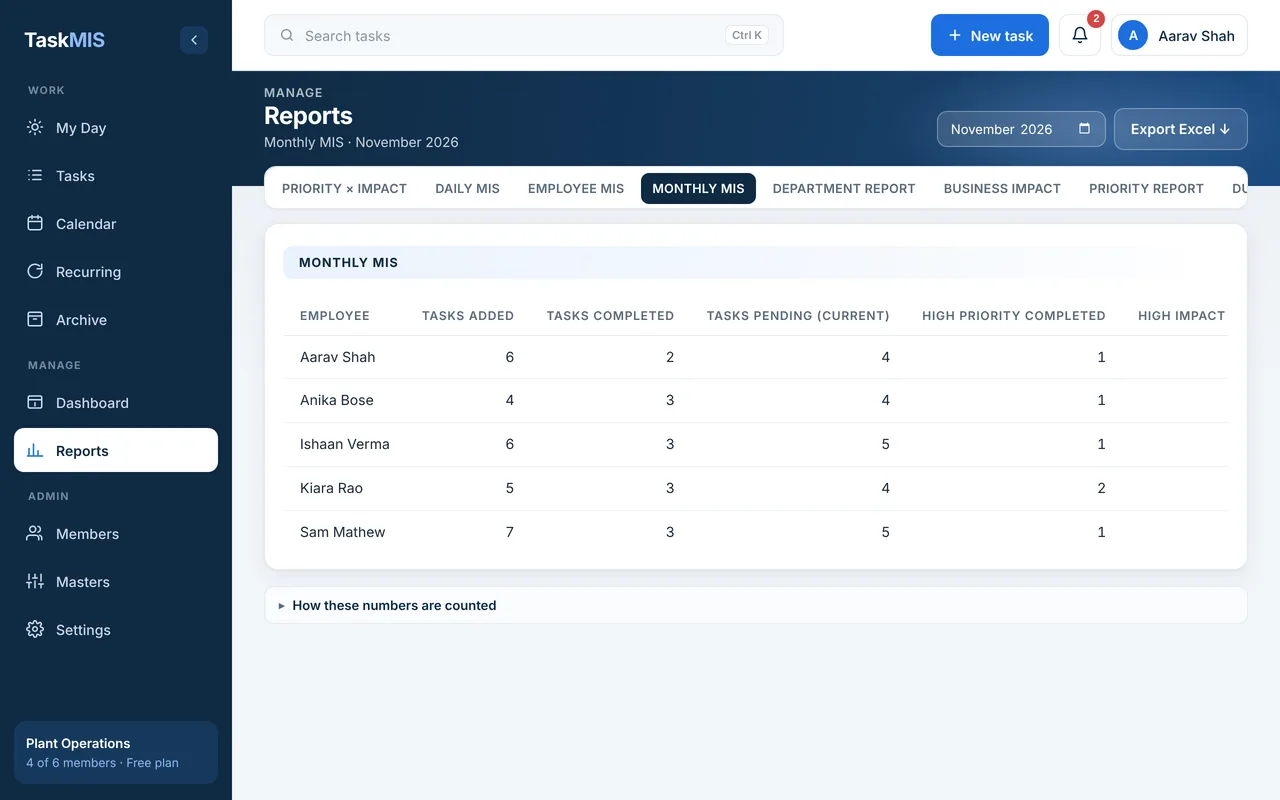
A live dashboard and seven MIS reports, each exportable to Excel.
Product tour
Six stages, from setting up to the month-end MIS. Pick one.
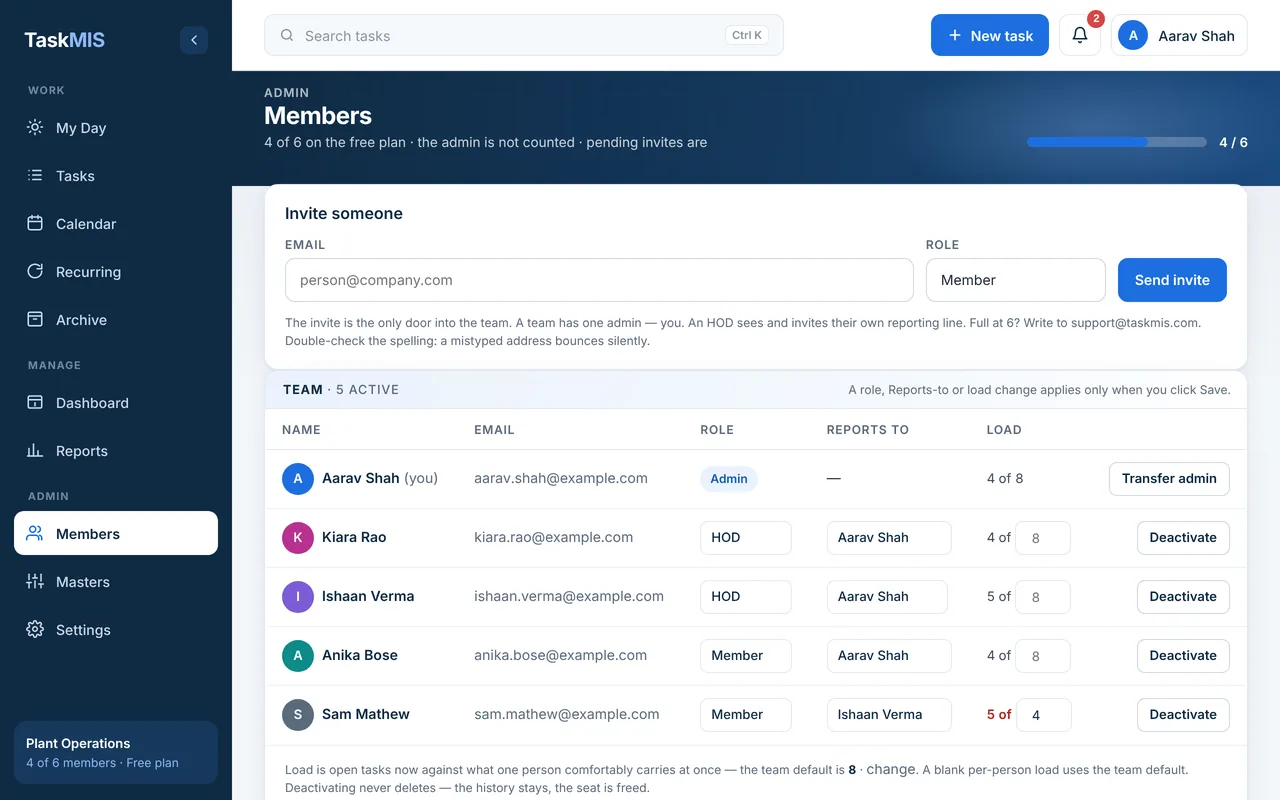
Stage 01 of 06
Your workspace is ready the same day.
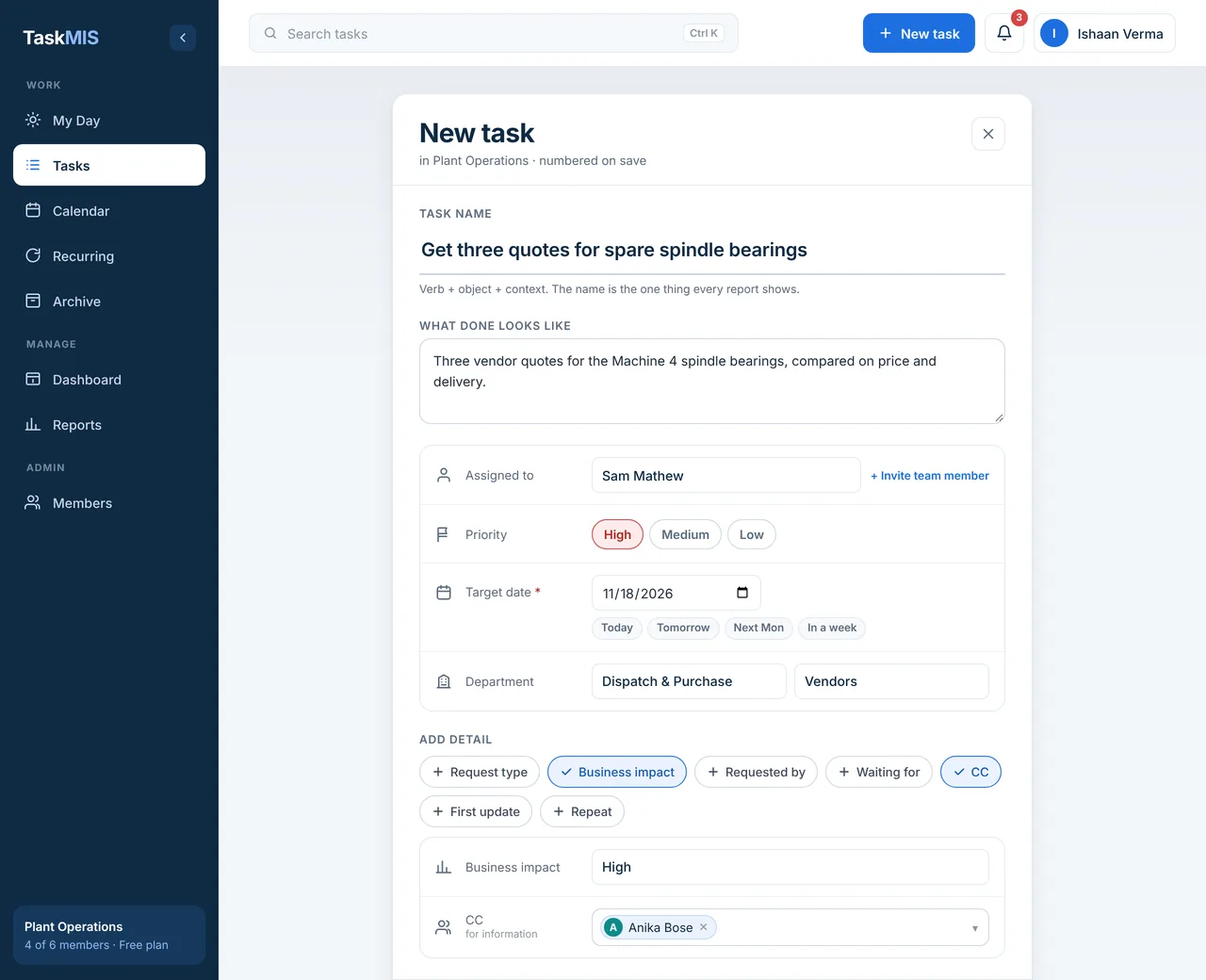
Stage 02 of 06
Every task starts clear.
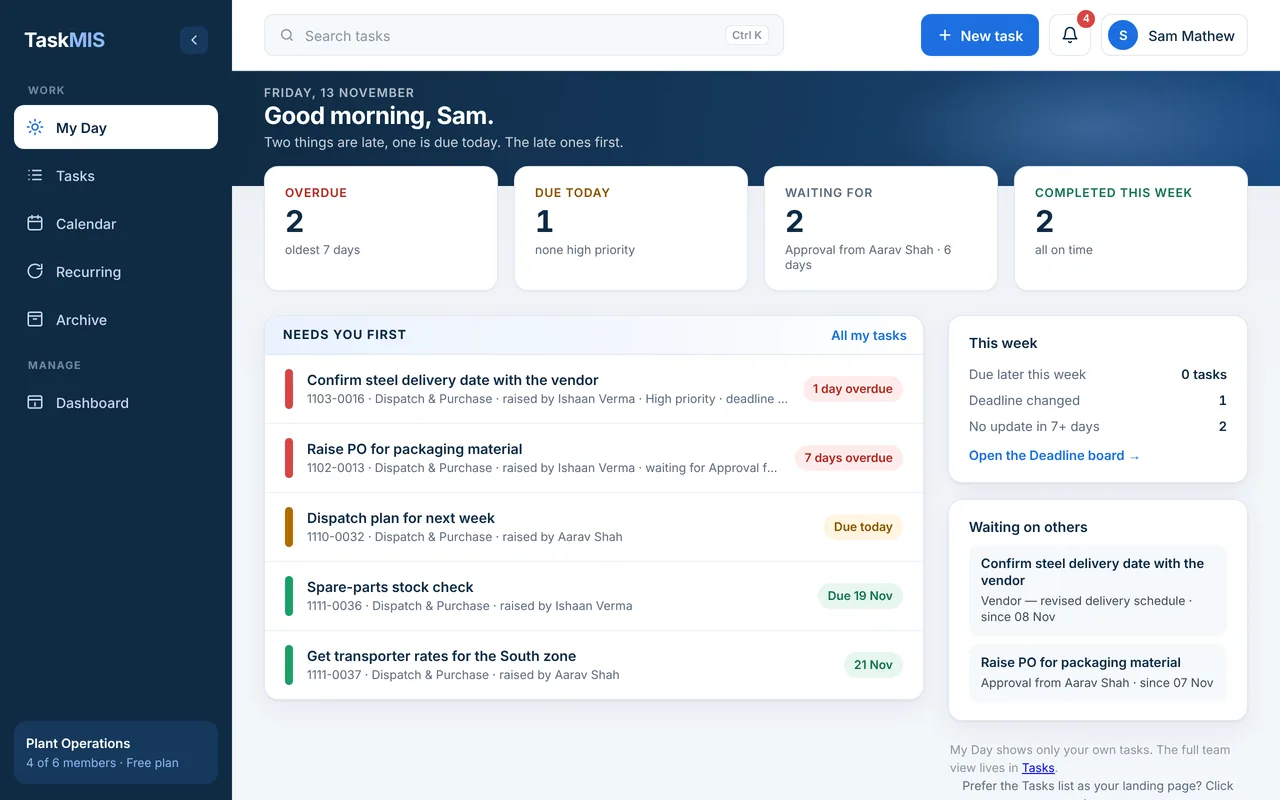
Stage 03 of 06
Each person opens one screen and sees what comes first.
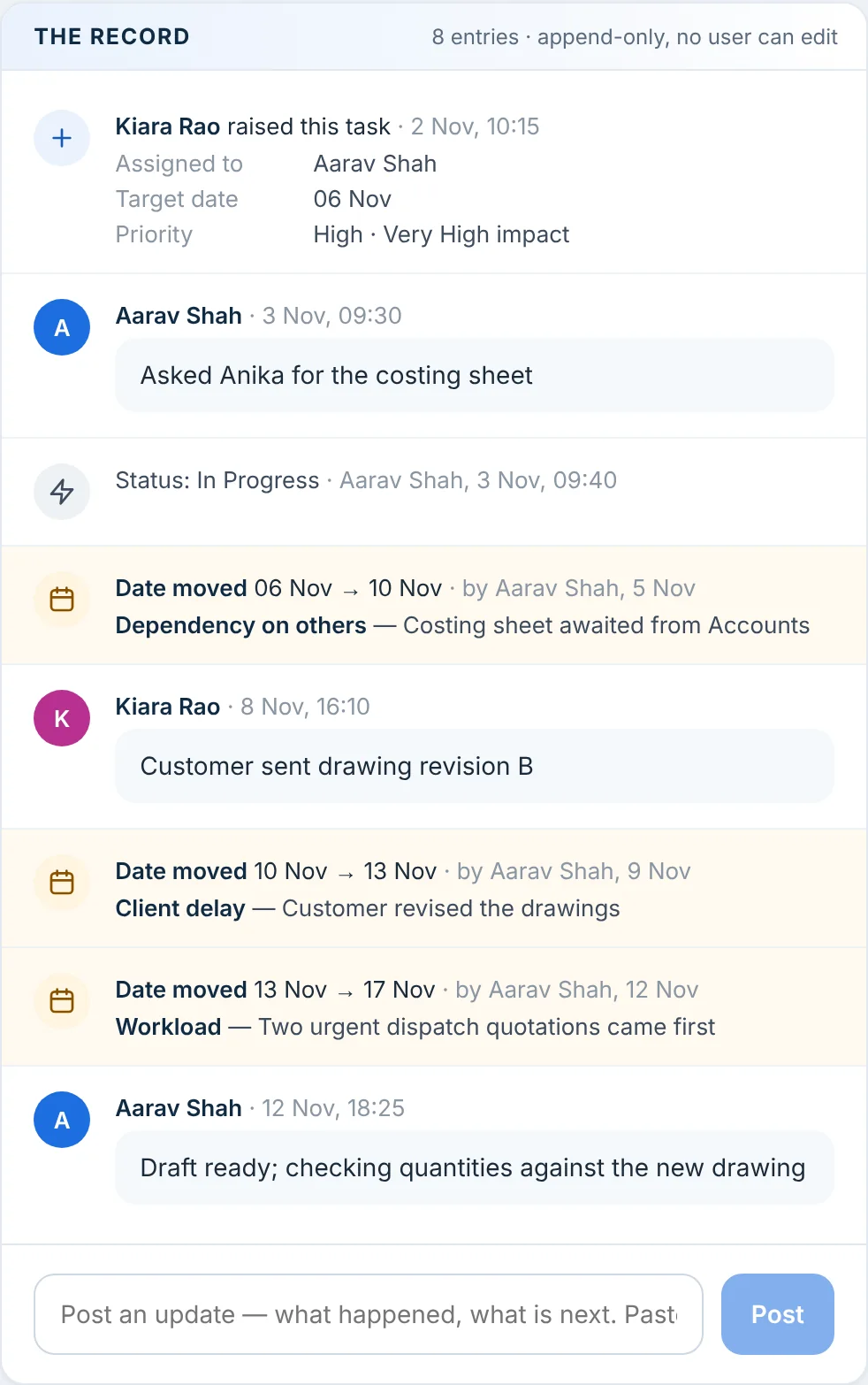
Stage 04 of 06
Delays are explained when they happen.
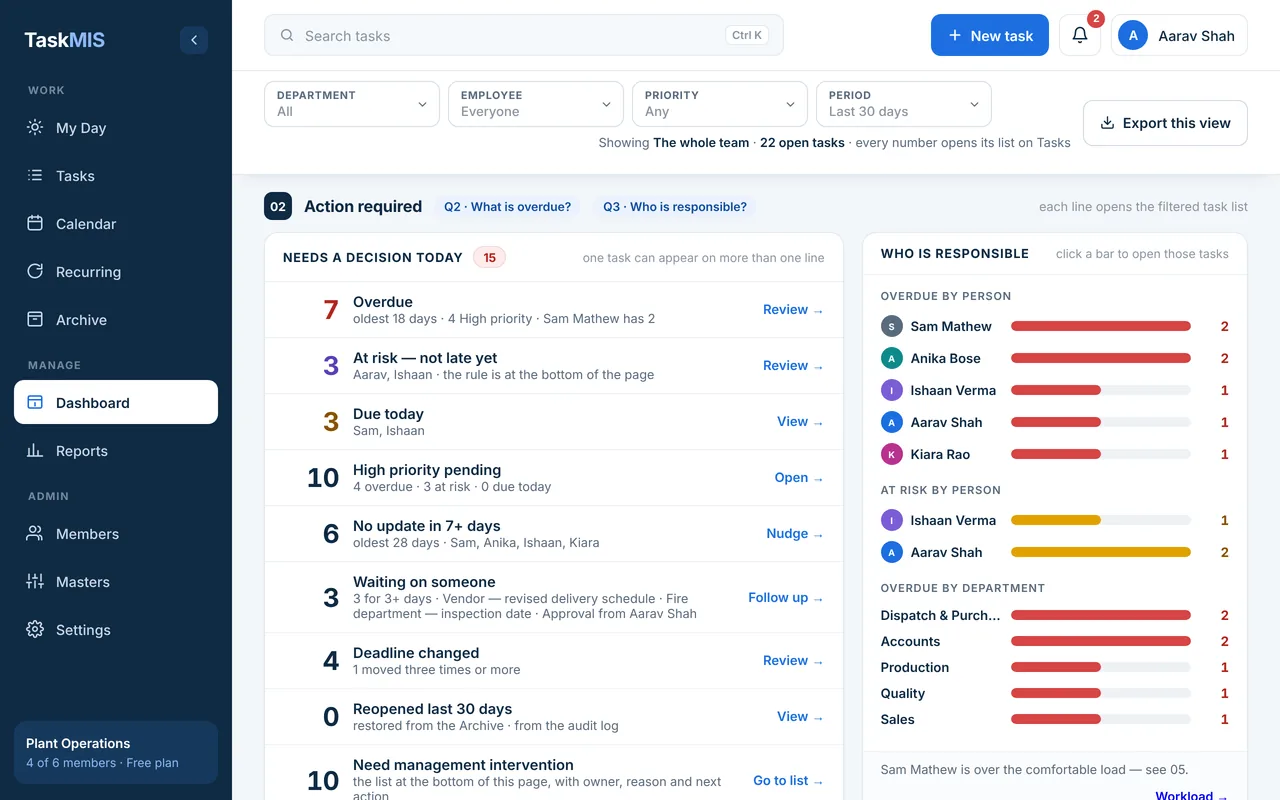
Stage 05 of 06
See what needs management before it is late.
Stage 06 of 06
Closing a task tells the person who asked.
Screens from the real app, with sample data from Beta1, a fictional company.
Free for up to 6 members · No credit card required
Built for each role
Every employee’s tasks are tracked in one place; each person sees what their role allows.
See what is late, what is at risk and where your attention is needed.
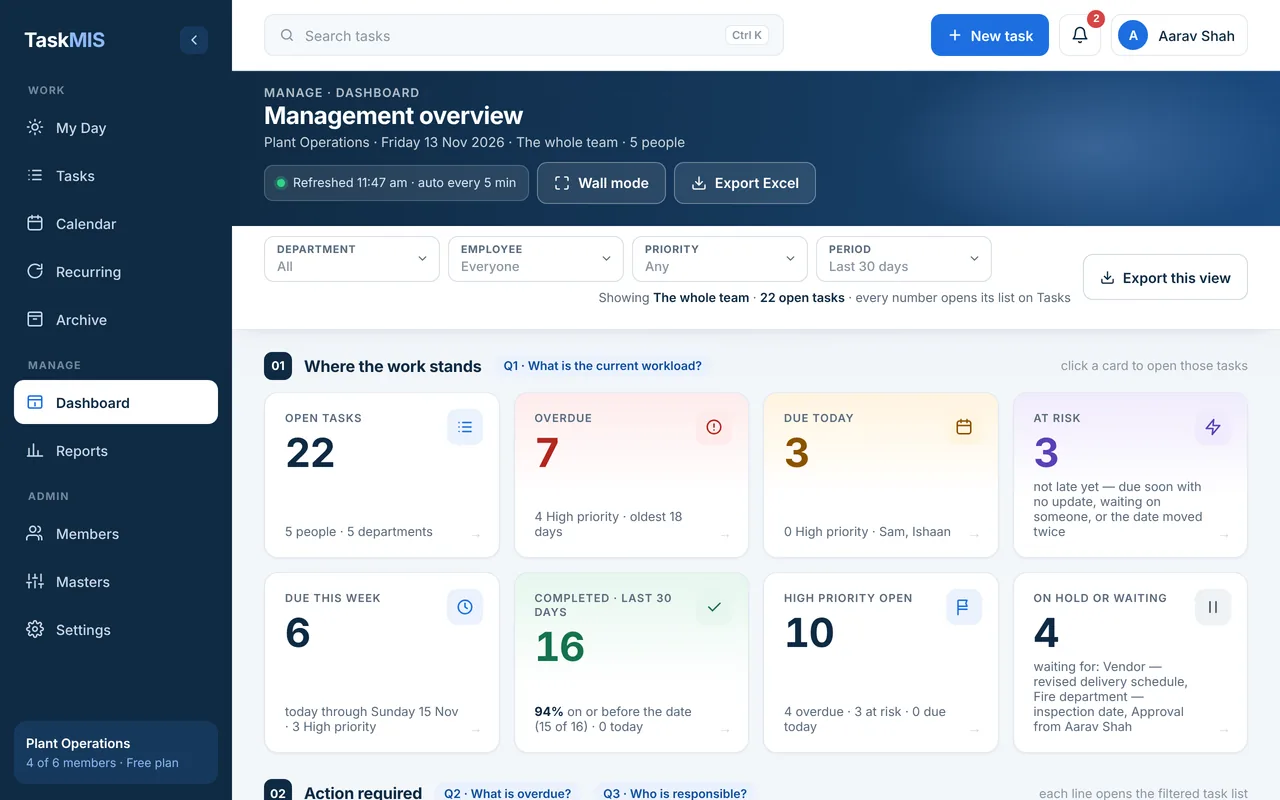
Management overview for the whole workspace (Admin).
See pending work, who is responsible and the workload across your reporting team.
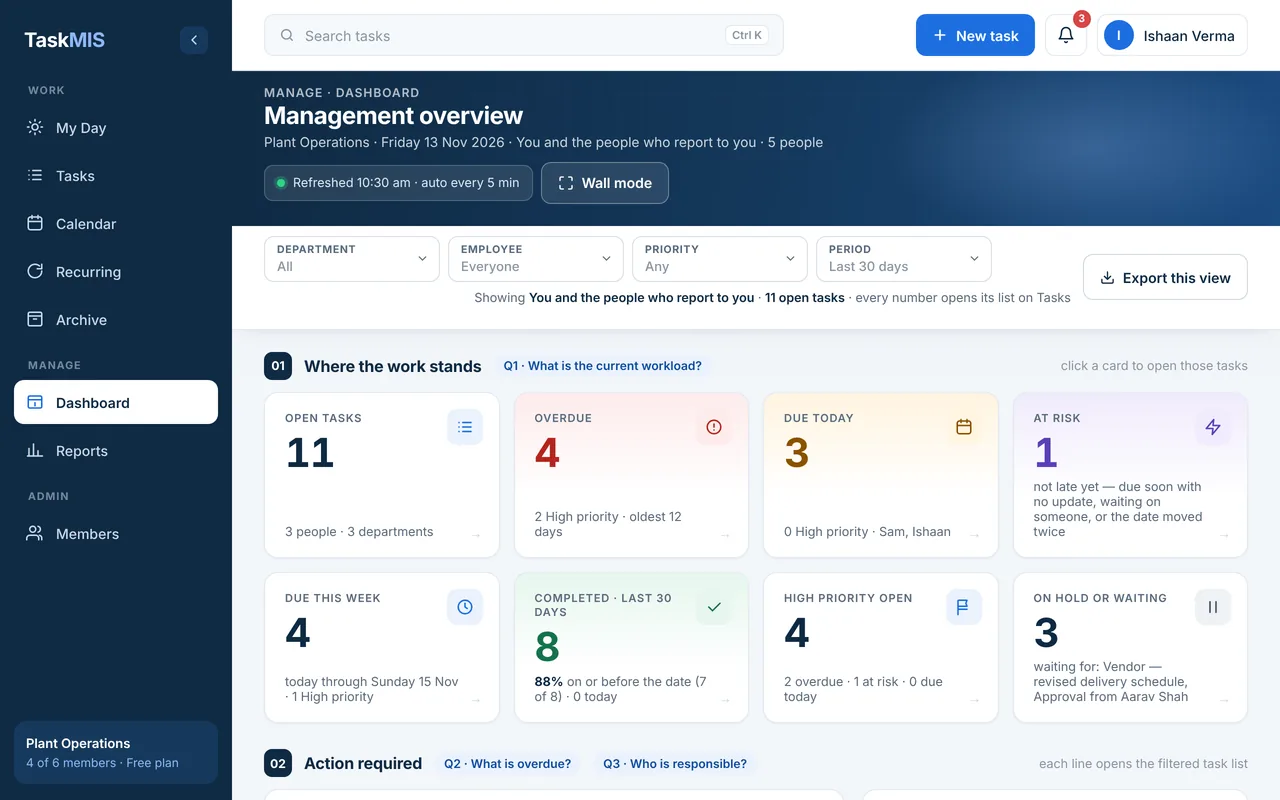
Ishaan Verma’s dashboard: only he and the people who report to him.
See today’s priorities, overdue work and what you are waiting for.
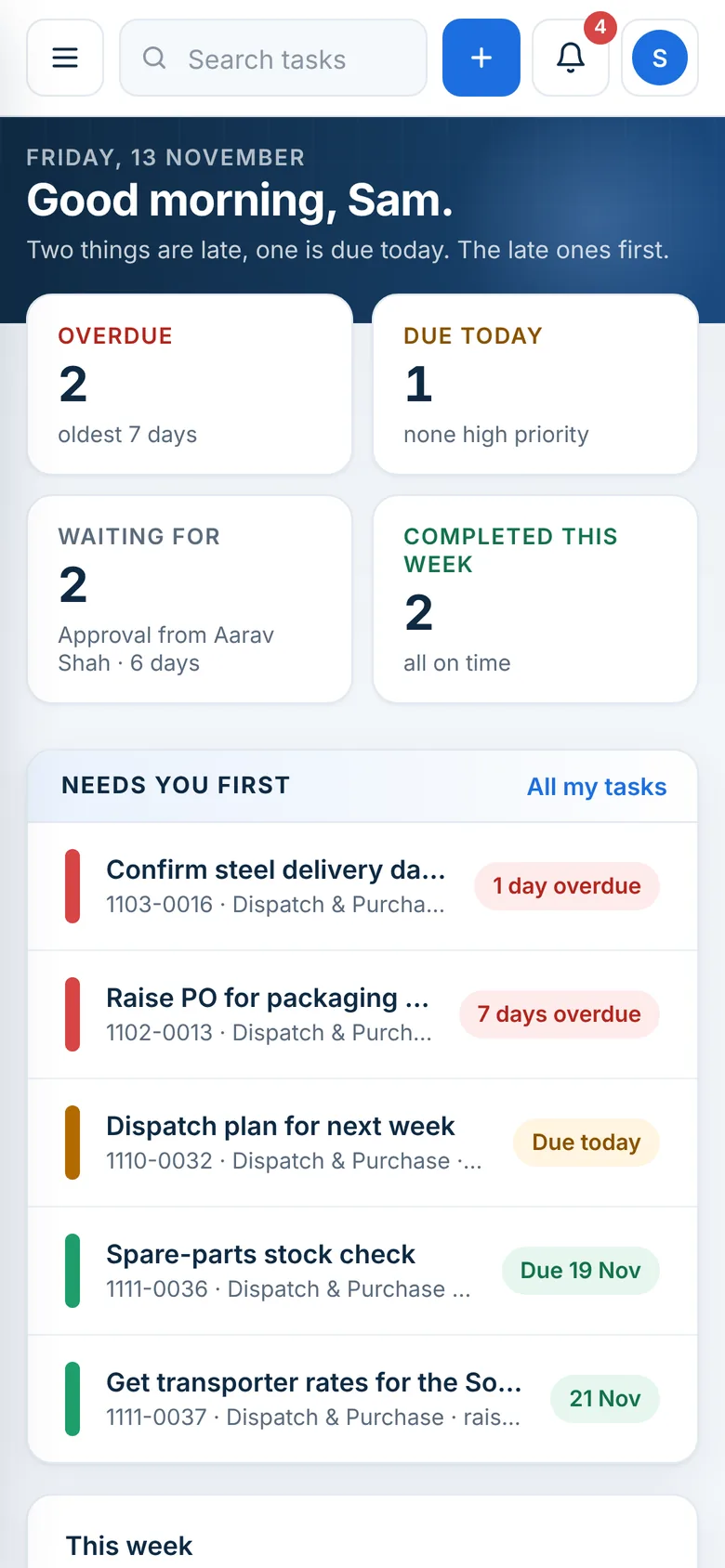
My Day on a phone, for a team member.
All features
42 features in six stages; 11 are key differences.
Email and password with a 6-digit code once, or Continue with Google.
You getStart the same day, without a card or a sales call.
Nothing to install; the same workspace on phone and laptop.
You getField and office staff use the phones they already carry.
Group work by Department / Bucket and Sub-department / Sub-bucket.
You getTaskMIS follows the way your company is organised.
Your own lists for priority, status, business impact, request type and date-change reasons.
You getEvery list uses your company’s words.
Admin: the whole workspace. Head of department: their reporting line. Member: their own work. Database rules enforce it.
You getEach person sees what their role allows.
Who reports to whom, and how many open tasks each person can comfortably carry (default 8).
You getWorkload is judged against what each person can handle.
The admin’s My Day lists the first steps: departments, the first task, one more person.
You getA clear first step without training.
Each task has exactly one person answerable for it; others can be copied.
You getIt is always clear who is answerable.
A task cannot be saved without a target completion date.
You getEvery commitment has a “by when” from the start.
Mark how urgent a task is and how much it matters to the business.
You getThe team can see what matters most.
Add colleagues in CC; they get the new-task mail too.
You getThe right people are told without a group message.
A mail with the due date, priority, who raised it and a link to the task.
You getThe task arrives in writing, with what is needed to start.
New task from any page, or press N; admins and heads of department can invite a person from the same form.
You getA task can be recorded the moment it comes up.
Set the rule once; TaskMIS creates each next occurrence.
You getRoutine work does not have to be given again each time.
A number from the day it was raised, such as 1102-0014.
You getEveryone can point to the same task in a call or a meeting.
Hand a task to someone else; the new owner gets a mail and the change goes on the record.
You getHandovers keep their history.
Each person’s screen for today: overdue first, then due today, what they are waiting for, completed this week, and tasks they raised for others.
You getOne screen shows each person what to do first.
Early every morning, anyone with work overdue or due today gets a mail with the counts and the most urgent tasks.
You getPeople start the day knowing what is late, without a status call.
A reminder before the due date (your team picks 0, 1, 2, 3, 5 or 7 days) and another on the day.
You getDeadlines are less likely to arrive unnoticed.
Progress notes, and who the task is waiting on, stay on the task itself.
You getStatus sits with the work, so fewer follow-up calls are needed.
List; Board (drag to change status); Deadline (overdue to later); Calendar (day, week, month, agenda).
You getEach person can view the same work the way they think.
Ctrl K searches number, name, owner, description and department; filters show as pills you clear in one click.
You getA task is quick to find.
The target date moves only with a reason from your list, plus a note.
You getYou learn why a date moved when it moved.
The task shows “Deadline changed 3 times”, and each change appears as R1, R2, R3.
You getA task that keeps slipping stands out early.
When the date moves, the person who raised the task gets a mail with the new date.
You getThe person who asked hears about the delay straight away.
Every update and date change is written to the task’s record. It is append-only, and a completed task is locked.
You getA clear history whenever someone asks what happened.
All date changes across the team in one report.
You getShows where delays come from.
Cards for open work, overdue, due this week, at risk and more; filter by department, employee, priority and period; refreshes every 5 minutes.
You getWhere the work stands, without collecting status by phone.
Click a number on the dashboard to see exactly those tasks, with the same count.
You getEvery figure can be checked against the tasks behind it.
Not yet late and: due within 3 days with no update for 3 days, or waiting on someone for 3 days with a week to go, or the date has moved twice.
You getWarning signs show while there is still time to act.
The intervention list shows each task with its owner, the reason and who it goes to: owner, HOD or MD.
You getAttention goes where it is needed, at the right level.
Overdue, due today, waiting, deadline changed and no update, each with the oldest task and who holds it.
You getThe day’s exceptions, not the whole list.
Per person: open, overdue, due this week, at risk, completed, on-time share, and load against their comfortable load.
You getRebalance work before someone is overloaded. Facts only, no scores.
Overdue ageing (1–3, 4–7, 8–15, 15+ days), tasks created against completed each week, delivery by department and priority.
You getSee whether things are getting better or worse.
Open tasks by priority and business impact, sliced by person, department, due band and status; the top cell reads “Do these first”. On the Dashboard and as the first Reports tab.
You getHelps put the week’s effort on high-priority, high-impact work.
Each Monday, admins and heads of department get the week’s numbers by mail.
You getThe weekly review starts with the numbers in hand.
A dark, full-screen view of the team’s status, for leads.
You getThe day’s picture can stay up on an office screen.
When the owner marks a task complete, the raiser gets a mail: on time or late, how many date changes and how many reminders.
You getClosure is confirmed with the facts.
Completed tasks are locked and move to the Archive, read-only, with export.
You getFinished work stays finished and easy to find.
An admin can reopen a completed task with a reason. The reopening is added to the record, nothing earlier changes, and the owner and the raiser get a mail.
You getRework is visible and explained.
Seven MIS reports — Daily, Employee, Monthly, Department, Business impact, Priority and Due-date revision — beside the Priority × Impact matrix in Reports.
You getMonth-end MIS without rebuilding a spreadsheet.
Each MIS report exports to Excel; Export this view saves what the dashboard shows under its filters; an admin can export the whole workspace as one workbook.
You getYour data is always yours to take.
Security and data
The database and the application servers run in Mumbai.
In transit (HTTPS) and at rest.
Database rules let people read only the workspaces they belong to.
Admin: the whole workspace. Head of department: their reporting line. Member: their own work.
Date moves and updates are append-only, and a completed task is locked.
An admin can export the whole workspace to Excel at any time.
Free for up to 6 members. The admin who creates the workspace is not counted; pending invitations are.