An Excel task tracker alternative that does the chasing for you
TaskMIS replaces the shared Excel task tracker. Every task gets one owner and a target date, people are reminded by mail and update their own tasks from a phone or laptop, and the management dashboard of overdue, due-today and at-risk work builds itself.
The management dashboard, counted from the tasks · Beta1, a fictional company, sample dataThe dashboard, counted from the tasks · Beta1, sample data
Free for up to 6 members. No credit card required.
Why Excel task trackers go out of date
A tracker is only as current as the last person who updated it.
Task tracker_FINAL_v3.xlsxLast edited 2 Nov5
#
Task
Owner
Due
Status
Remarks
1
Revised quotation to the customer
Aarav / Sam1
17-113
WIP
Customer asked for changes
2
Castings from the foundry
Purchase team1
ASAP2
Pending
Spoke to vendor
3
Machine 4 preventive maintenance
Ishaan
13-11
Not started4
—
4
Monthly MIS for the owner’s review
Anika
30-11
In progress
Waiting for data
5
Dispatch order 5531
Sam
12-11
Done?4
Check with Sam
An illustration of a typical shared tracker — not a real file.
Five things the sheet cannot do on its own
1
Two names, or a team, in the owner columnWhen a task belongs to “Aarav / Sam” or “Purchase team”, nobody in particular is answerable for it.
2
“ASAP” is not a dateA task without a real date can never be overdue, so it never shows up as late.
3
A typed-over date leaves no traceWhen 6 Nov becomes 17 Nov, the old date and the reason it moved are gone.
4
Status is as old as the last edit“Not started” may be finished; “Done?” may not be. Someone has to phone round to find out.
5
Nobody is reminded, and the summary is built by handThe file waits to be opened. Before every review, someone filters, counts and rebuilds the picture.
How TaskMIS replaces the tracker
Same task list. Each owner keeps it current, and the dashboard builds itself.
0101 Give the taskOne owner, one date
0202 Owners update itMy Day and reminders
0303 Dates move with a reasonKept on the record
0404 The dashboardCounted from the tasks
01Give the task
Each row becomes a task with one owner and a date
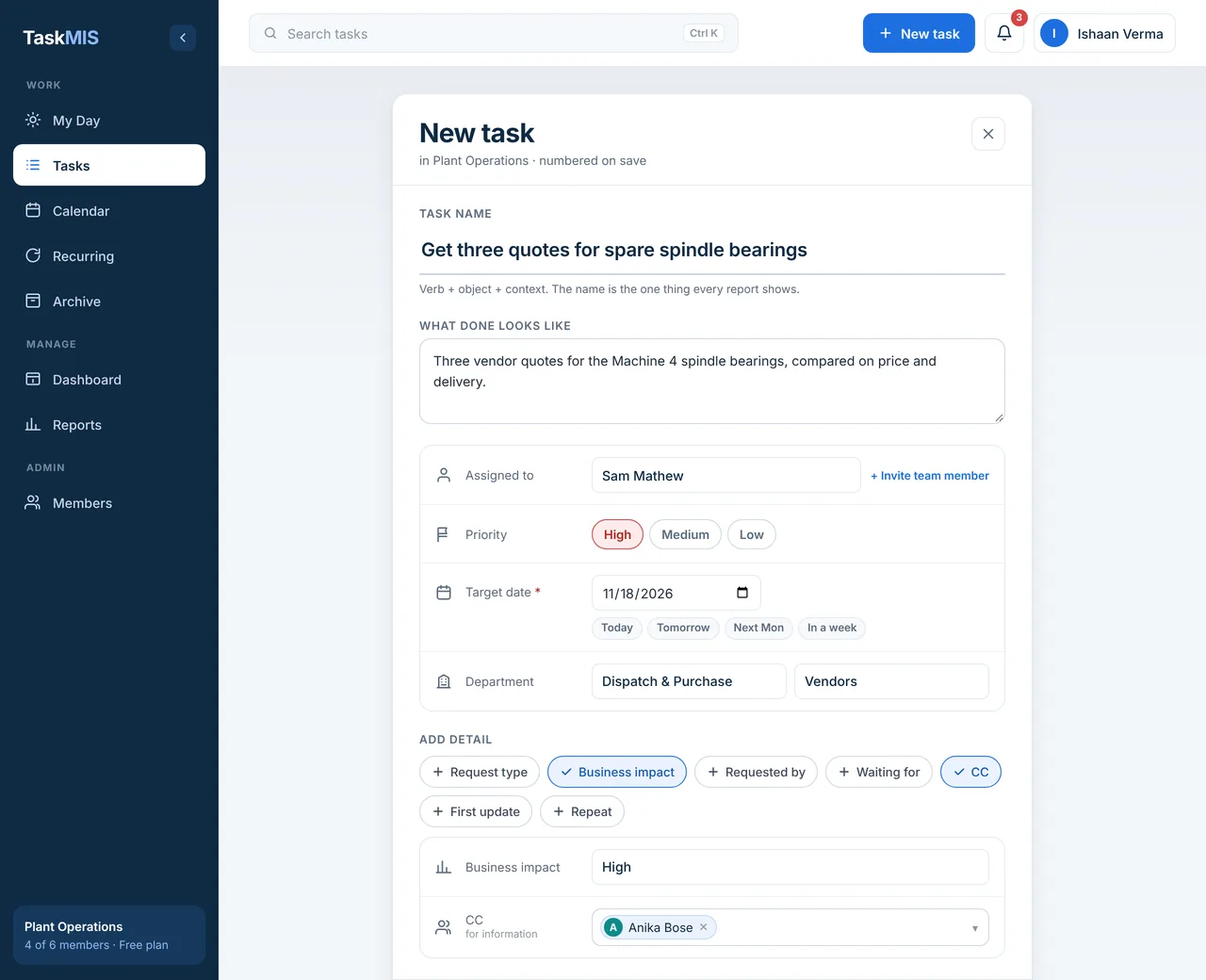
Add a task the way you would add a row — but TaskMIS will not save it without one owner and a target date. Priority, business impact, department and the people to copy sit on the same form.
One ownerTarget date required
New task, raised by Ishaan Verma for Sam Mathew · Beta1 demo workspace, sample data
Sam gets a mail with the due date, the priority and a link to the task.
02Every day
Each person updates their own tasks
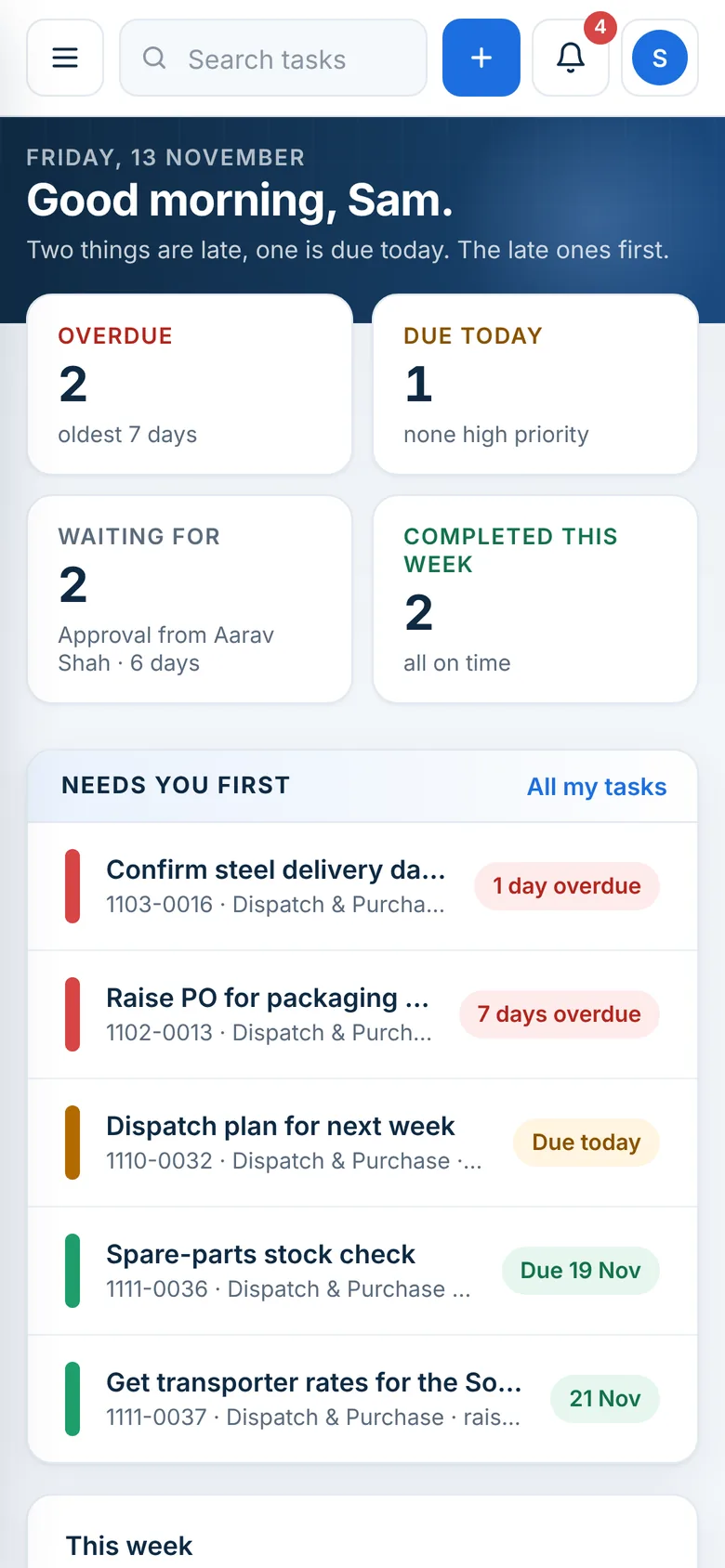
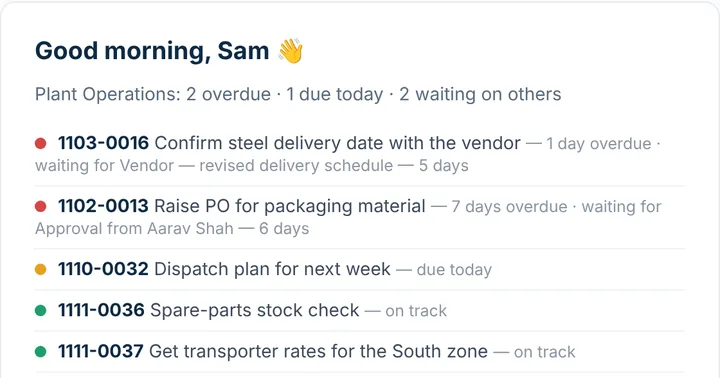
Everyone opens My Day: overdue first, then due today, then what they are waiting on. A reminder arrives before the due date, and around 7 AM the Breakfast report lists what is overdue or due today — so updates happen where the work is, not in a phone round before the review.
Reminder before the due date
My Day for Sam Mathew · Beta1 demo workspace, sample data
Sam’s Breakfast report: 2 overdue, 1 due today, 2 waiting on others.
03When a date moves
A date moves only with a reason
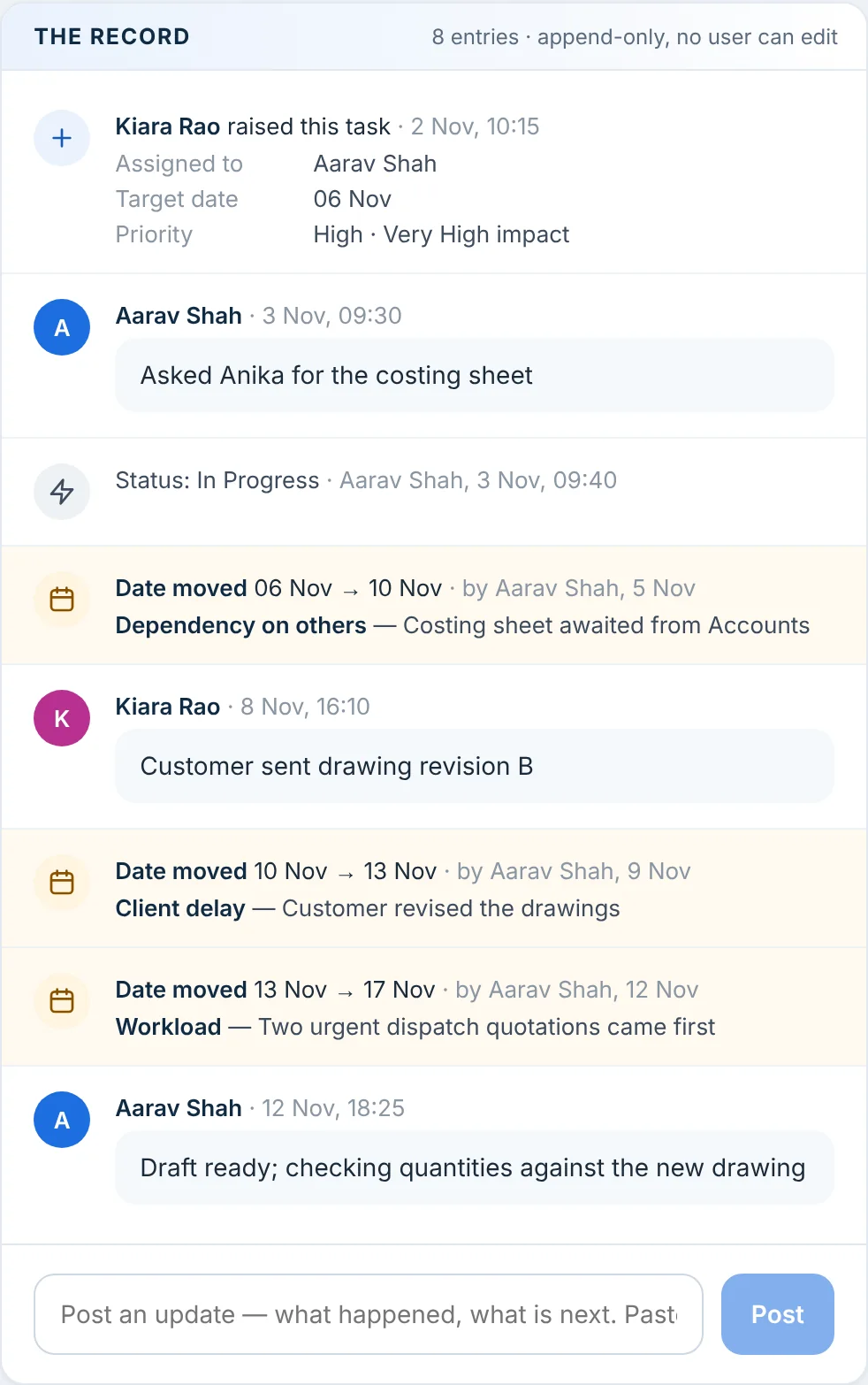
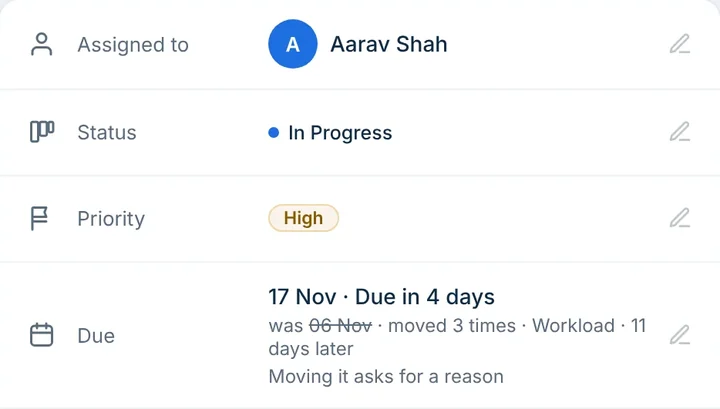
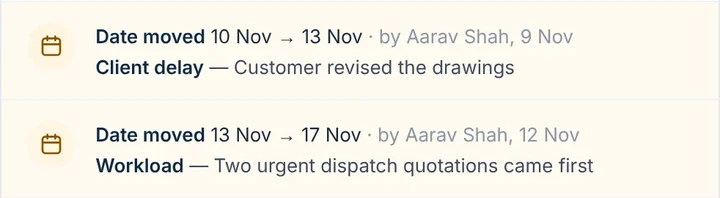
When a target date has to move, TaskMIS asks why — a reason from your list, plus a note. The old date stays on the record, the change is counted (R1, R2, R3) and the person who raised the task gets a mail. In a sheet, the old date is simply typed over.
Deadline changed 3 times
Task 1102-0014, “Send revised quotation to the customer”: its record · Beta1 demo workspace, sample data
04Review
The dashboard builds itself
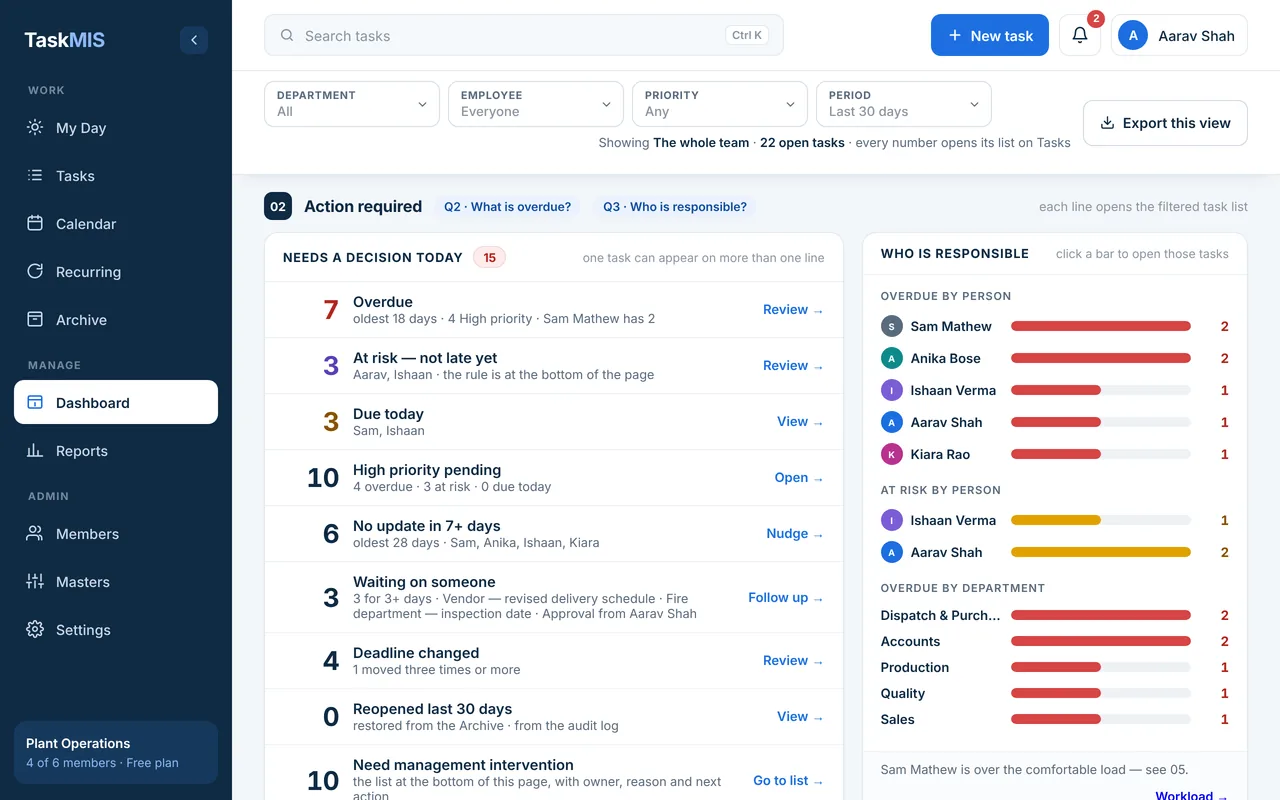
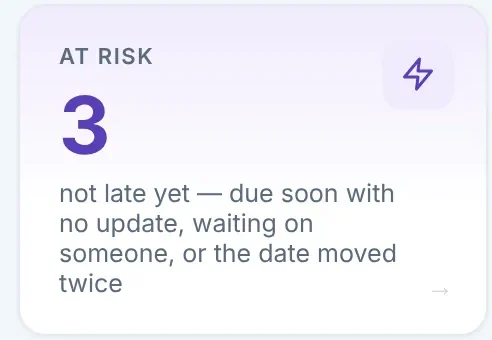
Overdue, at risk, due today and waiting are counted from the tasks themselves and refresh every 5 minutes. Every number opens the tasks behind it, so the review starts from facts instead of corrections to the sheet.
Every number opens its tasks
Dashboard → Action required, Friday 13 Nov · Beta1 demo workspace, sample data
Move your tracker into TaskMIS this week.
Free for up to 6 members. No credit card required.
1Create your free workspace with your email or Google — no card needed.
2Add your departments and invite your team: up to 6 members are free, and the admin is not counted.
3Copy over only the open rows. Give each one owner and a target date; finished rows can stay in the old file.
4Ask each person to update their own tasks from My Day, and stop editing the sheet.
5Run the next review from the dashboard. Export to Excel if anyone still wants the file.
Questions
Quick answers
What is a good alternative to an Excel task tracker?
Task management software that gives every task one owner and a due date, reminds people before the date and builds the status report from the tasks themselves. TaskMIS does this for Indian businesses: a reason is recorded whenever a date moves, and the management dashboard shows what is overdue or at risk. It is free for up to 6 members.
When is an Excel task tracker enough?
For one person’s own list, or a short list that one person keeps up to date, a spreadsheet works well. It starts to slip once several people own tasks, dates move and someone has to collect updates and build a summary for the review.
Can I import my Excel task tracker into TaskMIS?
Not at present. You add the open tasks in TaskMIS, each with one owner and a target date — the clean-up an old tracker usually needs anyway. Finished rows can stay in the old file for reference.
Can I still get my task data in Excel?
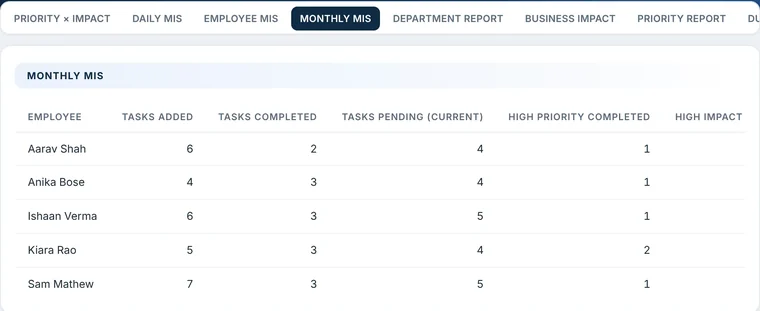
Yes. Each of the seven MIS reports exports to Excel, Export this view saves what the dashboard shows under its filters, and an admin can export the whole workspace — every task, active and archived, with members and masters — as one workbook.
How does TaskMIS remind people about due dates?
By email. The owner gets a mail when a task is given, a reminder before the due date (your team picks 0, 1, 2, 3, 5 or 7 days) and another on the day. Around 7 AM, anyone with work overdue or due today gets the Breakfast report. TaskMIS does not send WhatsApp messages.
What happens when someone changes a due date?
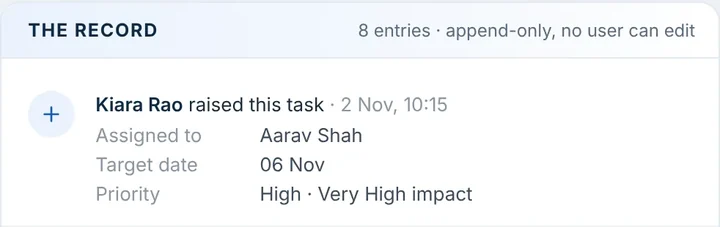
The new date cannot be saved without a reason from your list. The previous date, the new date, the reason, who moved it and when are written to the task’s record, which no user can edit, and the person who raised the task gets a mail.
Do employees need to install anything?
No. TaskMIS runs in the browser on a laptop or a phone. It can be added to the phone’s home screen, where it opens like an app.
Is TaskMIS free?
Yes, for up to 6 members; the admin who creates the workspace is not counted. No credit card is needed. Larger teams write to support@taskmis.com.
Who can see the tasks?
Admins see the whole workspace, heads of department see the work of the people who report to them, and everyone sees the tasks they own, raised or were copied on. A shared tracker file usually shows every row to everyone who opens it.